How to Get a Suspended Business Profile Back Online Without the Standard Runaround
How to Get a Suspended Business Profile Back Online Without the Standard Runaround
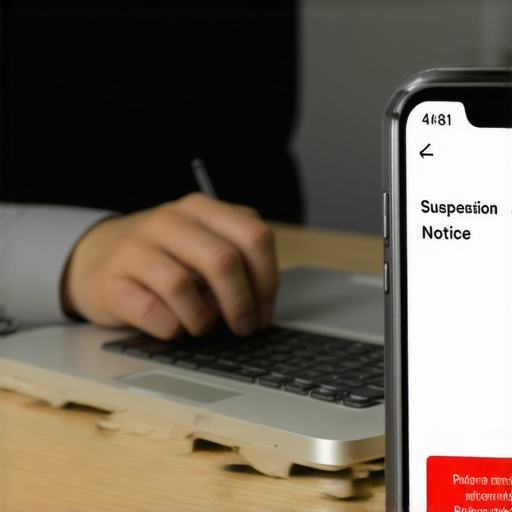
It starts with a single email. You open your inbox to find a notification from Google: “Your Business Profile has been suspended.” Within minutes, your phone stops ringing. The steady stream of leads that usually flows from the Google Map Pack dries up instantly. For a local business – whether you are a plumber in Dallas, a lawyer in London, or a dentist in Sydney – this isn’t just a technical glitch. It is a revenue emergency. It is a “stop-work order” issued by the world’s largest search engine.
I am Ali Raza, a GMB Reinstatement Expert and Local SEO Consultant. I have spent years in the trenches of the Google Business Profile (GBP) ecosystem, moving businesses into the Top 3 and, more importantly, rescuing them from the “shadow realm” of suspensions. In the current 2025-2026 landscape, Google has handed over the keys to aggressive AI-driven filters. These bots are faster and more ruthless than ever. If you try to fight them with generic advice, you will lose. You need a field manual. This is that manual.
Decoding the Silence: Hard vs. Soft Suspensions
Before you take a single action, you must understand exactly what kind of “prison” Google has put you in. Not all suspensions are created equal, and your recovery strategy depends entirely on the diagnosis.
The Soft Suspension
A “Soft Suspension” is the more “merciful” of the two. In this scenario, you lose the ability to manage your profile. When you log into your dashboard, you’ll see the dreaded red label. However, your listing is still visible on Search and Maps. You simply can’t update your hours, respond to reviews, or post updates. While frustrating, your lead flow remains somewhat intact. Often, these are triggered by a lack of verification or a minor discrepancy in user permissions.
The Hard Suspension
A “Hard Suspension” is a total blackout. Your listing is scrubbed from Search and Maps entirely. If you search for your business by name, it won’t appear. Your reviews, photos, and ranking positions vanish. This is usually triggered by “deceptive content” or “quality issues.” Google’s AI has flagged your business as potentially fraudulent or in violation of its core integrity policies. This requires a surgical approach to fix. To understand the depth of these visibility issues, many owners look into The Exact Tactics a Profile Consultant Uses to Fix Ghosting Visibility to see how deep the rabbit hole goes.
Why Google Suspended You (The 2026 Reality Check)
In 2026, Google’s priority is “Verified Search.” They are terrified of lead-generation spam. If you were suspended, the AI likely detected a pattern that mimics a “fake” business. Here are the most common triggers I see in my reinstatement practice:
- Keyword Stuffing: If your legal business name is “Main Street Plumbing” but your profile says “Main Street Plumbing – Best Emergency Plumbers & Drain Cleaning,” you are a prime target. Google is cracking down on descriptive descriptors that aren’t part of your registered business name.
- Virtual Offices and UPS Stores: This is the #1 killer of profiles today. Google’s database of “non-physical” addresses is massive. If your business is registered at a Regus suite or a P.O. Box, the AI will eventually flag it.
- The Residential Overlap: If you are a Service Area Business (SAB) operating out of your home, and your neighbor also has a business registered at that same residential address, Google’s “proximity filter” may flag both as suspicious.
- Frequent Data Changes: Changing your primary category, phone number, or physical address multiple times in a short window triggers a “red flag” for account hijacking or fraudulent activity.
To avoid these traps, you need a proactive approach to google business profile optimization. If your foundation is shaky, no amount of technical wizardry will keep you online long-term.
The Pre-Appeal Audit: Don’t Click “Appeal” Yet
The biggest mistake business owners make is rushing to the “Appeal” button. They submit a frantic message saying, “I’m a real business, please help!” This is a guaranteed rejection. Google’s reinstatement team (and their AI gatekeepers) don’t care about your feelings; they care about data alignment.
Before you appeal, you must perform a rigorous audit. You need to ensure that your profile is 100% compliant with the current guidelines. This means checking your NAP (Name, Address, Phone) consistency across the entire web. If your website says one thing, your Facebook page says another, and your GBP says a third, Google sees a lack of trust. I recommend using a professional google business profile audit tool to identify these discrepancies before the human reviewers see them.
You should also review the Master the Local SEO Checklist 2025: Boost Your Visibility Today to ensure you haven’t missed any fundamental optimization steps that might look like “spammy” behavior to an algorithm.
The “Evidence Locker”: What Documents Actually Work
When you finally do appeal, you are essentially going to court. You need “The Golden Trio” of evidence. If you don’t have these ready, do not proceed.
- Official Business License: This must be a government-issued document (Secretary of State filing, LLC articles, or a local city business tax receipt) that shows the business name and address exactly as they appear on your profile.
- Utility Bill: This is the ultimate “proof of life.” A water, electric, or internet bill in the business name at the registered address is nearly impossible to fake. Google trusts these more than any other document.
- Permanent Signage Photos: For brick-and-mortar stores, you need high-resolution photos of your storefront. The sign must be permanent (not a banner or a sticker) and clearly visible from the street.
For Service Area Businesses (SABs) that don’t have a storefront, the requirements are different. You need to provide photos of your branded vehicles, tool insurance, or invoices that show you are physically performing work in the service area you claim. This is a critical part of The Exact Steps for a Faster Google Business Profile Reinstatement.
The Step-by-Step Reinstatement Process (2026 Update)
Google has moved to a centralized “Appeals Tool.” It is no longer a simple contact form. Here is how to navigate it without getting stuck in the loop:
1. Access the Tool
Log into the Google Business Profile Reinstatement/Appeals tool. It will show you which profiles are eligible for appeal. Select the suspended listing.
2. The “60-Minute Rule”
This is a data point sourced from high-level SEO communities and Reddit: Once you initiate the appeal process and move past the initial screens, you often have a very narrow window – sometimes as little as 60 minutes – to upload your evidence files. If you start the process and then spend two hours looking for your utility bill, the session may timeout or “auto-submit” with no evidence, leading to an instant rejection. Have your “Evidence Locker” folder open on your desktop before you click “Start.”
3. The Narrative
Keep your explanation brief and clinical. “We have updated our profile to ensure 100% compliance with Google guidelines. Attached are our Articles of Organization, a recent utility bill, and photos of our branded equipment proving our physical operation.”
Once you submit, do not – I repeat, do not – submit multiple appeals. This creates duplicate tickets and can lead to your account being blacklisted for “spamming the support system.” If you want to rank in the google map pack again, you must be patient.
What to Do if Your Appeal is Rejected
If you receive the dreaded “We have decided to maintain the suspension” email, don’t panic. This isn’t necessarily the end of the road. It usually means your evidence wasn’t “authoritative” enough or you missed a technical violation on the profile itself.
In 2026, your next best move is the “Product Expert” route. The Google Business Profile Community Forum is staffed by volunteer experts (Gold and Platinum levels) who have a direct line to the internal Google team. If you can prove your case to them, they can “escalate” your thread. However, they will only help those who have already gone through the official appeal process and have a Case ID. For more insights on fixing these deeper issues, check out 4 Profile Fixes That Turn Map Views Into Actual Phone Calls.
Future-Proofing: How to Stay Online and Rank Higher
Getting reinstated is only half the battle. You need to ensure you never go through this nightmare again. Google’s 2026 focus is on “Experience Signals.” This means they want to see real user interaction, high-quality photos, and consistent activity.
I recommend using high-quality local seo tools to monitor your profile’s health. These tools can alert you if your NAP data is being changed by third-party “map scrapers” or if your listing has been flagged by a competitor. Staying ahead of the algorithm is the only way to maintain your position in the local pack. You should also stay updated on the Latest Local Updates 2025: What Your Business Needs to Know to stay ahead of the curve.
Remember that local SEO is an ongoing process. Once your profile is back, you need to focus on Top SEO Tasks 2025: Essential Strategies for Digital Success to regain the momentum you lost during the suspension. Use a reputable google maps ranking service to rebuild your authority and push your business back to the Top 3 where the leads are.
Conclusion: Don’t Fight Google Alone
A Google Business Profile suspension is a high-stakes crisis. Every hour your listing is down, your competitors are stealing your customers. While the steps above provide the framework for a successful reinstatement, the process is fraught with technical traps.
Don’t let a suspension kill your business. If you’ve been rejected once, your next move is critical. The “one-strike” rule is becoming more common in 2026. If you are overwhelmed by the technical requirements or the “Evidence Locker” demands, hire a professional. Contact a google business profile expert today to handle the technical heavy lifting and get your revenue flowing again.